How to Build a "Micro AI Factory" at Home (Local LLMs)
For the last few years, we have been renting our intelligence. Every time you type a prompt into ChatGPT or Claude, you are leasing processing power, sending your data across the ocean, and waiting for a server in a massive data center to deign you with a response. But in 2024 and 2025, a quiet shift started happening. The models got smaller, yet smarter. The hardware got cheaper. And suddenly, running a "Micro AI Factory" in your home office isn't just a hobby for coders—it’s a viable productivity strategy for professionals.
I’ve spent the last six months migrating about 80% of my AI workflows from cloud APIs to local hardware. The goal wasn't just to save the $20 monthly subscription fee (though that's nice). It was about sovereignty. It was about building a system that can read my tax documents, analyze my journals, and draft sensitive emails without that data ever leaving my local network.
If you are tired of strict guardrails, latency, and privacy policies that seem to change every week, this guide is for you. Here is how to build a local inference engine that actually works.
The Hardware Reality: It’s All About VRAM
Before we touch software, we have to talk about the metal. There is a lot of misinformation out there about what you need to run models like Llama 3, Mistral, or DeepSeek locally. Most gaming PC guides focus on clock speeds and cooling. For AI, those barely matter.
In my experience building these rigs, VRAM (Video RAM) is the only metric that dictates your ceiling. You can have the fastest processor on the market, but if you try to load a 70-billion parameter model into a GPU with 8GB of VRAM, it simply won't run. It will crash, or fall back to your system RAM (CPU), which is agonizingly slow—think 1 word per second vs. 50 words per second.
The "Apple vs. NVIDIA" Debate
You have two realistic paths for a home AI factory:
- The Mac Route (Unified Memory): This is the easiest entry point. Because Apple Silicon (M1/M2/M3 chips) shares memory between the CPU and GPU, a MacBook Pro with 64GB or 96GB of RAM is a local LLM beast. It’s slower than a dedicated NVIDIA card, but it can load massive models that would otherwise require $15,000 worth of enterprise GPUs.
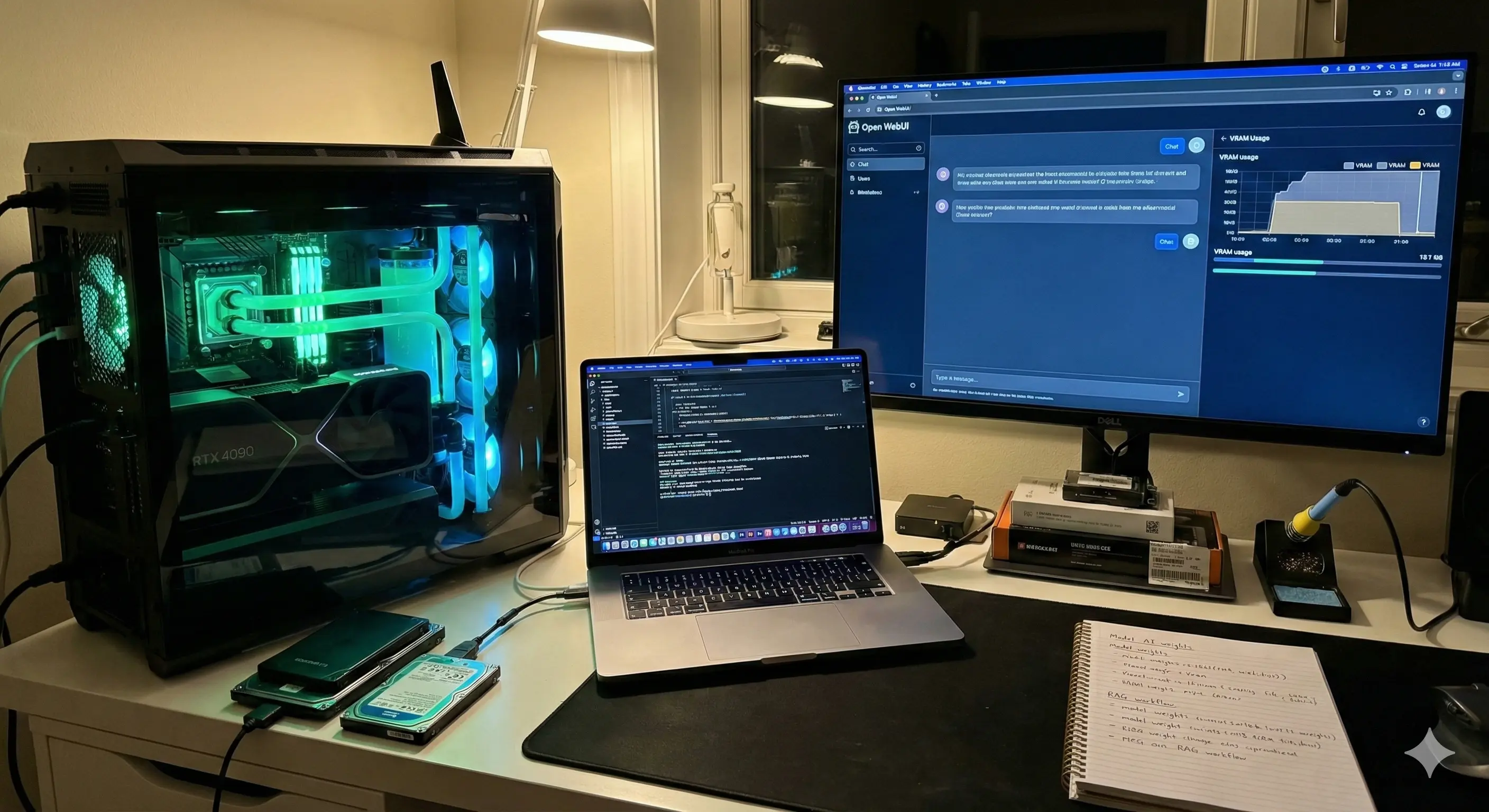
- The PC Route (NVIDIA CUDA): If you want speed, you need NVIDIA. The RTX 3090 (24GB VRAM) and RTX 4090 (24GB VRAM) are the gold standards. AMD is getting better with ROCm support, but if you want a plug-and-play experience, stick to the green team for now.
Here is something the spec sheets don’t tell you: If you go the PC route with dual GPUs (like two 3090s to get 48GB VRAM), heat becomes a genuine infrastructure problem. In real workflows, I noticed that unless you have a server-grade case or open-air rig, the top card will choke the bottom card. My dual-GPU setup raised my office temperature by about 5 degrees Celsius during long inference tasks. You need to plan for airflow, or you'll throttle.
The Software Stack: Setting Up the Factory
Gone are the days of manually compiling Python scripts just to say hello to an AI. Today, the tooling is slick, almost Apple-like in its simplicity.
1. The Engine: Ollama
Ollama has become the de-facto standard for running local models on Linux and macOS (and now Windows). It handles all the messy driver optimization in the background. It creates a local server API that mimics OpenAI’s, meaning you can plug your local model into almost any app that supports ChatGPT.
2. The Interface: Open WebUI
While Ollama runs in the terminal, you want a chat interface. Open WebUI (formerly Ollama WebUI) is a clone of the ChatGPT interface that runs in your browser (localhost). It supports chat history, document uploading (RAG), and even voice-to-text integration.
3. The Models: What to Download
Don't just download everything. To compare performance benchmarks before downloading, I strongly recommend checking the Open LLM Leaderboard by Hugging Face, which tracks the best-performing models daily. Here is what I recommend for a starter factory:
- Llama 3 (8B): Fast, snappy, great for general chat and summarization. Runs on almost any laptop.
- Mistral Large or Llama 3 (70B): If you have the hardware (48GB+ RAM/VRAM), this approaches GPT-4 levels of reasoning.
- DeepSeek-Coder: Exceptional for programming tasks, often outperforming much larger models.
Real-World Use Case: The "Private RAG" System
Let's move beyond theory. The killer app for a local AI factory is RAG (Retrieval-Augmented Generation) on sensitive data.
Imagine you have a folder of PDFs—bank statements, medical records, or proprietary client contracts. You cannot upload these to a public chatbot without violating NDAs or common sense. With a local setup, you can ingest these documents into Open WebUI.
How it works in practice:
- You drop your folder of PDFs into the Open WebUI interface.
- The system "embeds" them (converts text to numbers) locally using a small embedding model.
- You ask: "Based on these bank statements, how much did I spend on software subscriptions in Q3?"
- The AI scans the local vector database, retrieves the relevant text chunks, and answers you.
I use this for analyzing SEO contracts. I can ask my local Llama 3 model to "Find the indemnification clause in these 5 contracts and highlight the differences." It takes about 30 seconds, cost $0.00, and no data left my MacBook.
What This Tool Gets Wrong (Where It Breaks Down)
We need to be honest about the friction. While Local LLMs are powerful, they are not yet a polished consumer product.
One issue that keeps coming up is "Quantization Loss." To fit these massive models onto consumer hardware, we have to compress them using a method called Quantization (usually down to 4-bit or Q4). Technically, this retains 95% of the model's intelligence. However, in practice, I’ve noticed that while the language remains fluent, the logic can become brittle. A Q4 model is much more likely to hallucinate a math error or forget a strict instruction compared to its uncompressed FP16 counterpart running in a cloud data center.
Another breakdown point is context shifting. If you are using your GPU for the AI, and then you try to open a heavy application like Premiere Pro or a video game, your system will likely crash or hang. The AI hogs the VRAM exclusively. You have to learn to shut down the "factory" before doing other heavy graphical work.
Comparison: Cloud vs. Local AI Factory
Is it worth the hassle? Here is the breakdown.
| Feature | Cloud AI (OpenAI/Claude) | Local AI (Ollama/Llama 3) |
|---|---|---|
| Privacy | Low (Data used for training) | Maximum (Air-gapped) |
| Cost | $20/mo + API usage fees | High upfront hardware cost, $0 monthly |
| Censorship | High (Refusals common) | Low/None (Uncensored models available) |
| Speed | Dependent on internet/server load | Dependent on your hardware |
| Setup Difficulty | Zero | Moderate |
Who Should NOT Build This
This setup is fascinating, but it is not for everyone. You should probably stick to ChatGPT Plus or Claude Pro if:
- You need 100% reliability: Local models can be finicky. Sometimes updates break the drivers. Sometimes the model loops endlessly. If you need an answer right now for a client deadline, the cloud is more reliable.
- You rely on web browsing: While tools like Perplexity or ChatGPT can browse the live web instantly, connecting local LLMs to the internet is still clunky and requires complex configuration with search APIs.
- You have a standard laptop: If you are running a standard Dell XPS or MacBook Air with 8GB of RAM, you will only be able to run the smallest, "dumbest" models. The experience will be underwhelming compared to GPT-4.
Advanced Configuration: Understanding Parameters
If you dive into this, you will see terms like "Temperature" and "Top P." Don't ignore these settings.
In the cloud, these are usually managed for you. Locally, you control the chaos. Setting your temperature to 0.0 turns the model into a deterministic machine—great for code extraction or data formatting. Setting it to 0.8 makes it creative. I have found that local models are much more sensitive to these changes. A temperature of 1.0 on a local Llama 3 model often results in complete gibberish, whereas GPT-4 handles high temperature with more grace.
FAQ: Common Hurdles
Does this increase my electric bill?
Yes, but perhaps not as much as you think. Idling, the impact is negligible. Under full load, a dual 3090 setup can pull 700+ watts. If you run batch processing 24/7, you will notice it. For sporadic chat usage, it’s pennies.
Can I run this on Windows?
Absolutely. Windows usage has improved drastically with WSL2 (Windows Subsystem for Linux) and native Windows support for Ollama. However, Linux is still slightly more efficient with VRAM management.
Is it safe to download models from Hugging Face?
Generally, yes. Stick to the GGUF formats provided by reputable quantizers like "TheBloke" or "MaziyarPanahi." Always check the community discussions on the model card before downloading.
Can these models analyze images?
Yes, these are called "Vision" models (like Llama-3-Vision or BakLLaVA). They are surprisingly good at OCR (reading text from images) but still lag behind GPT-4o in interpreting complex diagrams.
What happens if my hardware is too old?
You can try using "CPU offloading," where the model runs on your main processor. It works, but it is painfully slow. If you don't have a dedicated GPU or Apple Silicon, the experience is rarely worth the effort.
The Takeaway
Building a Micro AI Factory isn't just about saving money on subscriptions. It is about understanding the technology that is reshaping the world. When you run a model locally, you strip away the magic curtain. You see the AI for what it is: a probability engine, not a person.
If you have the hardware, I highly suggest downloading Ollama this weekend. Start with a small model like Llama 3 8B. Disconnect your internet. Ask it a question. There is a strange, profound satisfaction in watching the tokens stream across your screen, knowing that intelligence is generating right there on your desk, entirely under your control.
Disclaimer: This article is for informational purposes only and does not constitute technical or financial advice. Hardware configurations vary, and user experience may differ based on specific system specs.