Edge Computing vs. Cloud: Why 2026 is the Year of "Local" Speed
For the last decade, the tech industry has chanted a single mantra: "Move it to the Cloud." We uploaded our photos, ran our software, and even played our video games on servers located hundreds of miles away. But as we settle into 2026, a massive shift is happening. The pendulum is swinging back.
You might have noticed that your new laptop comes with a dedicated "NPU" (Neural Processing Unit), or that your smart home devices are suddenly working faster even when the Wi-Fi is spotty. This isn't a coincidence. It is the rise of Edge Computing.
With the explosion of Artificial Intelligence and autonomous agents, the "Cloud" is becoming too slow for the real-time demands of modern life. We can no longer afford to wait for data to travel to a data center in Virginia and back just to switch on a lightbulb or brake a self-driving car.
In this guide, we will strip away the jargon and explain exactly what Edge Computing is, why it is trending right now, and how it is quietly reshaping the internet as we know it.
[Image of edge computing architecture diagram]
What Is Edge Computing? (The "Pizza" Analogy)
To understand Edge Computing, we first have to look at the current standard: Cloud Computing.
Imagine you want a pizza.
Cloud Computing is like ordering a pizza from a famous restaurant two towns over. It is delicious (powerful), but it takes 45 minutes to arrive (latency). If there is a traffic jam (network congestion), you starve.
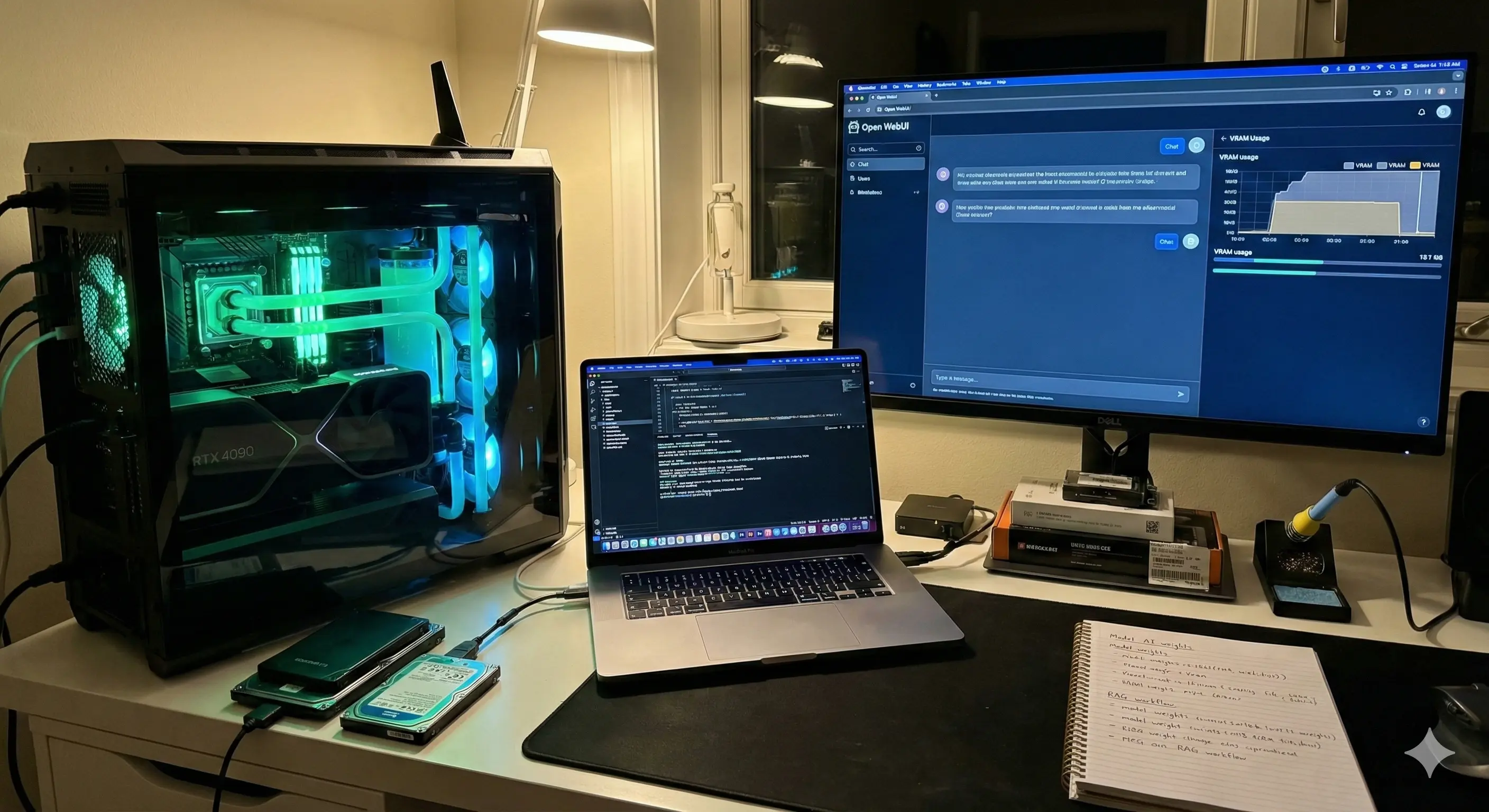
Edge Computing is like having a professional pizza oven in your own kitchen. You still buy the ingredients (data) from the store, but you cook it right there. It is instant. You don't care about traffic. You eat immediately.
In technical terms, Edge Computing means processing data physically close to where it is created (the "edge" of the network), rather than sending it all the way to a centralized data center (the "cloud").
Why Is Everyone Talking About This in 2026?
Edge computing isn't new, but it has gone viral this year for one specific reason: AI.
In 2023 and 2024, AI chatbots ran in the cloud. You typed a prompt, it went to OpenAI or Google, processed, and came back. That was fine for text. But today, we have:
1. Autonomous Robots: They need to "see" an obstacle and stop in milliseconds.
2. Privacy Concerns: People don't want their personal medical or financial data leaving their devices.
3. Bandwidth Costs: Streaming massive amounts of 8K video data to the cloud is expensive and unnecessary.
How Edge Computing Actually Works
The architecture is surprisingly simple when you break it down. It involves three layers.
1. The Device (The Source)
This is your smartphone, a security camera, a thermostat, or a robotic arm in a factory. It collects data.
2. The Edge Node (The Local Brain)
This is where the magic happens. Instead of sending raw data to the internet, the device sends it to a nearby "Edge Gateway" or processes it on the device itself.
Example: A security camera sees a motion. Instead of sending 24 hours of video to the cloud, the Edge Node analyzes the video locally, realizes it's just a cat, and decides not to send an alert. It saves bandwidth and storage.
3. The Cloud (The Big Brain)
The Cloud doesn't disappear; it just changes roles. It becomes the place for long-term storage and heavy lifting that doesn't need to be instant. The Edge Node sends only the important summaries to the Cloud.
Real-World Use Cases: Edge in Action
You are likely interacting with Edge Computing daily without realizing it. Here is how it is being applied across industries.
Autonomous Vehicles
This is the classic example. A self-driving car generates terabytes of data every hour. If a child runs into the street, the car cannot wait 100 milliseconds to ask a server what to do. The decision to brake must happen locally, within the car's onboard computer. That is Edge Computing saving lives.
Smart Hospitals
Wearable health monitors track patient vitals. By processing this data on the Edge (the hospital's local server), doctors get real-time alerts about heart rate anomalies even if the hospital's external internet connection goes down. Privacy is also better preserved because sensitive data stays within the building.
Retail & Shopping
Ever walked into a store with "Smart Mirrors" that suggest matching outfits? Those mirrors use local cameras and processors to overlay clothes on your reflection instantly. If they had to buffer via the cloud, the experience would be laggy and awkward.
Cloud vs. Edge: A Quick Comparison
Should you ditch the cloud? No. You need both. Here is how they stack up.
| Feature | Cloud Computing | Edge Computing |
|---|---|---|
| Speed (Latency) | Slower (Dependent on distance) | Ultra-Fast (Real-time) |
| Processing Power | Unlimited (Massive servers) | Limited (Device hardware) |
| Connectivity | Requires strong Internet | Works Offline / Low Connectivity |
| Privacy | Data leaves the premises | Data stays local |
| Cost | High recurring storage fees | High upfront hardware costs |
The Pros and Cons of Going to the Edge
Before you invest in local servers or Edge-enabled devices, it is vital to weigh the benefits against the drawbacks.
The Advantages (Pros)
- Zero Latency: Applications feel instant. This is crucial for gaming, VR, and AR.
- Enhanced Security: Hackers have a harder time intercepting data if it never travels across the public internet.
- Bandwidth Savings: You stop paying to upload useless data (like hours of empty footage from a security camera).
- Reliability: Your systems keep working even if the ISP goes down.
The Challenges (Cons)
- Hardware Cost: You need smarter, more expensive devices (like cameras with onboard chips).
- Maintenance: If a centralized cloud server fails, Amazon fixes it. If your local Edge server fails, you have to fix it.
- Complexity: Managing software across thousands of local devices is harder than managing it in one central cloud.
Step-by-Step: How to Get Started with Edge (For Beginners)
You don't need to be an enterprise architect to start benefiting from Edge principles.
1. Audit Your Devices
Look for devices labeled "Local Processing" or "On-Device AI." When buying a security camera, choose one that stores video on an SD card or local hub rather than one that requires a cloud subscription for basic recording.
2. Embrace Local AI
If you use AI tools, look for "Local LLMs" (Large Language Models). Software like LM Studio or Ollama allows you to run ChatGPT-like assistants entirely on your laptop. It is faster, private, and works on airplanes without Wi-Fi.
3. optimize Your Home Network
Edge computing relies on a strong local network. If you have a smart home, consider a "Mesh Wi-Fi" system. This ensures that your devices can talk to each other quickly, creating a robust local edge network.
FAQ: Common Questions on Edge Computing
Q: Will Edge Computing replace the Cloud?
A: No. They are partners. Edge handles the immediate, fast tasks, while Cloud handles big data storage and heavy historical analysis. It is a hybrid future.
Q: Is 5G related to Edge Computing?
A: Yes, they are best friends. 5G provides the wireless speed needed to connect mobile edge devices (like drones or cars) to nearby processing towers.
Q: Is it safe?
A: Generally, yes. Keeping data local reduces the "attack surface" available to remote hackers. However, physical security becomes more important—someone could steal the actual device.
Q: Can my old computer act as an Edge node?
A: Absolutely. Many hobbyists use Raspberry Pis or old laptops as "Home Labs" to run ad-blockers (like Pi-hole) or media servers locally. That is Edge computing in its purest DIY form.
Q: Why is it called "Edge"?
A: Because the processing happens at the "edge" of the network (where the user is), rather than at the "core" (where the data center is).
The Takeaway
We are entering an era where the internet is becoming physical. It is no longer just about websites on a screen; it is about cars, watches, and sensors making intelligent decisions in the real world.
Edge Computing is the invisible infrastructure making this possible. By moving intelligence closer to the user, we are building a digital world that is faster, more private, and more resilient.
Your Next Step: Check your own smartphone settings today. Look for "On-Device Intelligence" or "Local Processing" options in your photo or voice assistant settings. Enable them to experience the speed of the Edge firsthand.