The Launch of Perplexity Computer: A New Era for Automated Workflows
The internet is buzzing right now. And if you have been paying attention to the rapid evolution of digital automation, the recent rollout of the Perplexity 'Computer' feature feels like a massive shift in how we interact with information. We are moving away from simple search queries and stepping into the realm of autonomous digital workers.
For years, we relied on search engines to hand us a list of links, leaving the heavy lifting of reading, synthesizing, and acting up to us. But the landscape is shifting dramatically. The Perplexity automated system is designed to act on your behalf, navigating web pages and compiling complex research briefs without constant human supervision.
Yet, amidst all the glowing press releases and viral social media posts, a lot of professionals are asking what this actually looks like in practice. Cut through the marketing hype, and you will find a landscape filled with incredible breakthroughs, staggering infrastructure costs, and some surprisingly frustrating limitations.
What Is the Perplexity Computer Feature?
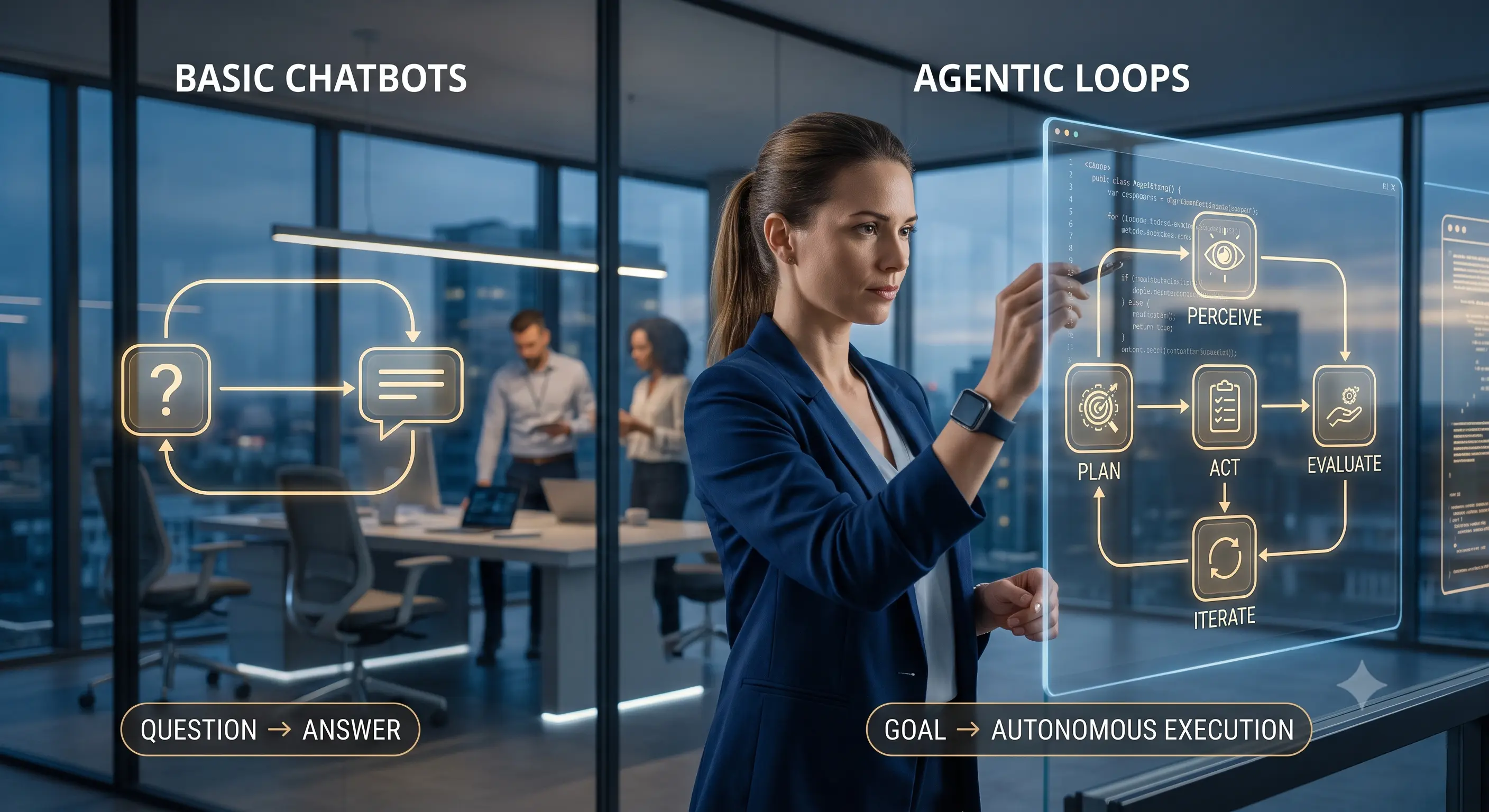
At its core, this new computational interface is built to function as a persistent research assistant. Rather than just answering a single question, it takes a prompt, breaks it down into sequential steps, and independently browses the internet to execute those steps.
Imagine telling a system to find all the recent zoning board decisions in your county, summarize the outcomes, and format them into a timeline. The Perplexity system attempts to execute that entire workflow. It opens virtual browser tabs, reads the text, discards irrelevant information, and synthesizes the findings.
It sounds like magic. But the underlying mechanics rely on massive semantic processing engines that predict the most logical next steps based on historical reference corpuses. And while it is undeniably powerful, treating it as a flawless human replacement is a recipe for disaster.
How It Works in Practical Terms
To really understand the utility here, we need to look at the step-by-step execution. When a user inputs a complex command, the system does not just do a single database lookup. It initiates a multi-stage reasoning process.
- Intent parsing: The system dissects the user query to understand the ultimate goal, not just the keywords.
- Autonomous navigation: It pings live websites, bypassing traditional search indexes to look at real-time data.
- Data extraction: It identifies the relevant text blocks while ignoring ads, sidebars, and navigational menus.
- Synthesis: It compiles the gathered data, checking for internal consistency before presenting the final output.
This multi-stage approach is exactly why enterprise leaders are paying attention. [Internal Link: Explore Enterprise Workflow Strategies]. But to fully grasp the impact of this technology, we have to look at how specialized versions of these systems are disrupting traditional industries.
Anthropic's Legal Tech Tool: A Crucial Comparison
To really see where this automation trend is heading, we have to look at another massive shift happening simultaneously. Anthropic recently introduced a highly specialized legal analysis tool that is changing the mechanics of corporate law.
Clear explanation of what Anthropic's legal software actually is: It is a dense, highly specialized computational system designed specifically to parse, analyze, and cross-reference massive volumes of statutory language and case law. Unlike general-purpose web browsers, this tool is grounded in specialized legal reference materials.
Why does Anthropic's legal software matter compared to existing legal tech tools? For decades, lawyers have relied on legacy databases like Westlaw or LexisNexis. Those traditional platforms are essentially highly complex keyword search engines. If you do not use the exact right Boolean operators, you miss critical precedents.
Anthropic's system changes the paradigm. It uses semantic reasoning. You can ask it to find cases where a judge ruled against a tenant for subtle lease violations, and it will find relevant cases even if the words 'tenant' or 'violation' were never explicitly used in the ruling. It understands the conceptual meaning of the request.
Real-World Legal Use Case: Contract Auditing at Scale
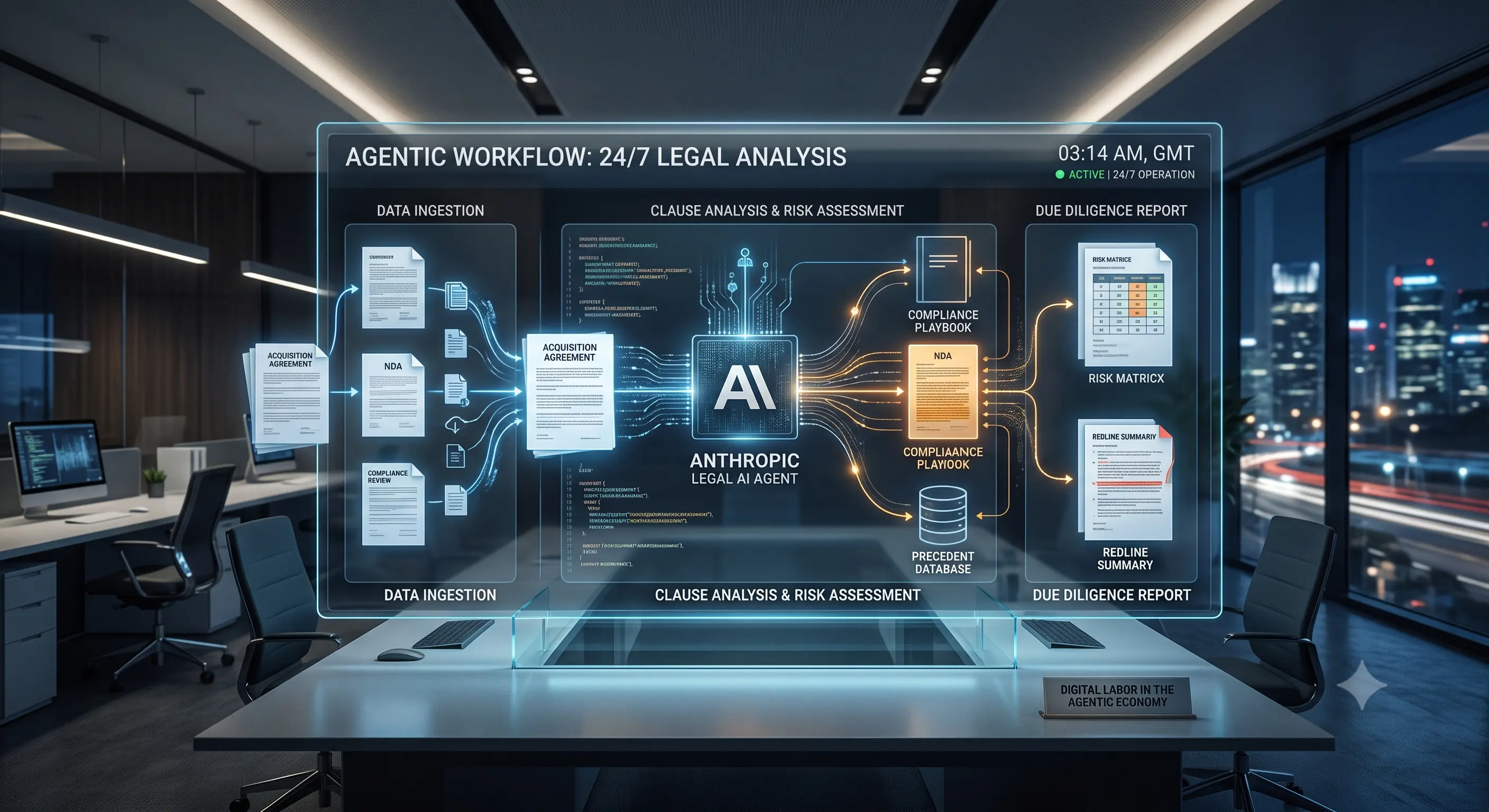
Let's look at a concrete example. Imagine a mid-sized corporate firm handling a complex Mergers and Acquisitions (M&A) deal. During the due diligence phase, junior associates typically spend weeks reading through thousands of pages of vendor contracts to identify change-of-control clauses.
Using Anthropic's legal tool, a firm can ingest a massive directory of PDF contracts. The system scans the documents, identifies every relevant indemnification or change-of-control clause, and flags anomalies where the language deviates from standard corporate boilerplate.
A task that previously billed out at hundreds of hours is condensed into a highly accurate preliminary report generated in under an hour. The financial implications for billable hours are staggering, which is exactly why major firms are rushing to integrate these systems.
The Real-World Experience: What Teams Are Actually Seeing
In real workflows, teams notice that handing over a complex, multi-step research task to the Perplexity interface sounds amazing during a vendor demo, but the reality is much messier. We often see these systems get stuck in endless loops when a website updates its layout or triggers a simple security captcha. We have watched senior analysts spend more time writing the perfect prompt and correcting the automated output than it would have taken to just do the manual search themselves. It is a bit frustrating when the 'time-saving' tool becomes a bottleneck.
When the system works smoothly, it feels like peering into the future. But the friction points are very real. The discrepancy between the sanitized marketing videos and the actual desktop experience is something every operations manager is currently grappling with.
Where This Breaks Down in Real Use
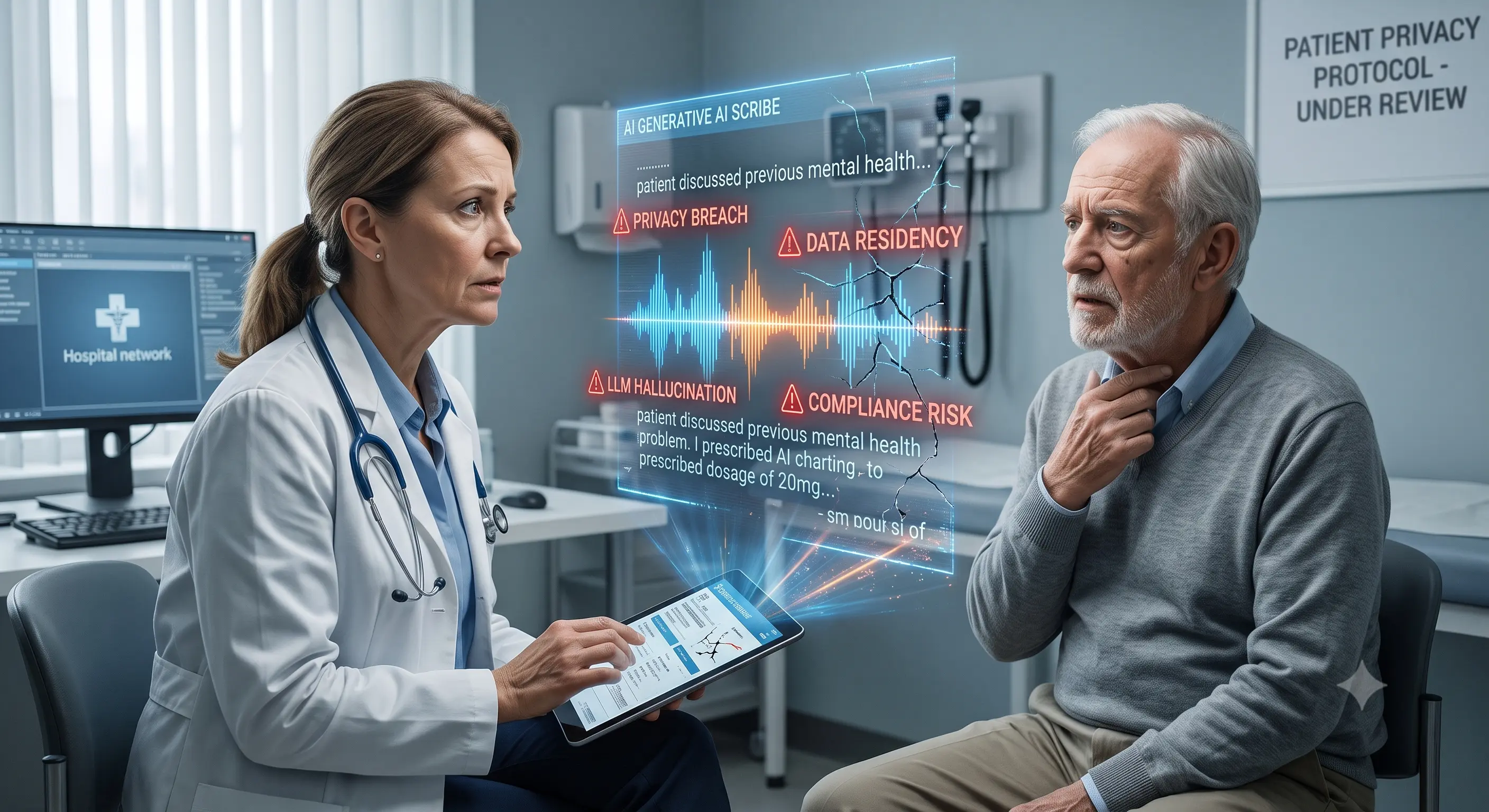
One issue that keeps coming up is complex contextual retention. This sounds efficient, but in practice, when you feed a massive 400-page commercial lease into these processors, they tend to quietly drop critical clauses located right in the middle of the document. The system will flawlessly summarize the first 50 pages and the last 50 pages, but it suffers from 'lost in the middle' syndrome, which is incredibly dangerous in a legal or financial context.
Another major breakdown occurs with ambiguous directives. These computational tools lack human intuition. If a user provides a vague instruction, the system does not usually stop to ask clarifying questions. Instead, it confidently marches forward, generating beautifully formatted, highly authoritative-sounding reports that are entirely irrelevant to the user's actual needs.
Who Should NOT Use This Automation
Despite the aggressive push for universal adoption, these systems are absolutely not for everyone. There are specific environments where deploying this technology actively degrades the quality of work.
Situations where it adds little value include:
- Solo practitioners handling emotional client work: Family law or small claims dispute resolution requires deep human empathy, reading the emotional state of the opposing counsel, and making judgment calls that no algorithmic system can replicate.
- Highly creative, non-linear strategy sessions: If you are trying to brainstorm an entirely novel public relations campaign that breaks industry norms, relying on a system built to predict standard patterns will only yield average, highly predictable results.
- Mission-critical compliance tasks without human oversight: Anyone looking for a 'set it and forget it' solution for tax filing or regulatory compliance should avoid these tools entirely. The risk of automated data misattribution is too high.
Hype vs. Reality: Enterprise Spending and Adoption Numbers
Let's talk concrete numbers, because the financial scale of this shift is difficult to overstate. In 2025, enterprise capital expenditure (CapEx) for automation infrastructure and the servers required to run these intensive computational tasks exceeded a staggering $45 billion globally.
Major cloud providers are building dedicated data centers just to handle the processing load required for tools like Perplexity and Anthropic. Law firms alone are shifting budgets dramatically. A firm that previously spent $150,000 annually on traditional database access is now reallocating up to 40% of that budget toward specialized automated reasoning licenses.
But the adoption curve is jagged. While 85% of Fortune 500 companies report experimenting with these advanced systems, less than 20% have fully integrated them into their core, customer-facing workflows due to lingering concerns about accuracy and data privacy. For a deep dive into the legal implications of this tech, you can check out insights from Reuters Legal.
Comparing the Systems: Traditional vs. Automated
To make sense of the current market, it helps to see exactly how these tools stack up against the traditional methods we have used for the last decade.
| Feature Category | Traditional Search (Legacy) | Perplexity Computer System | Anthropic Legal Tool |
|---|---|---|---|
| Core Mechanism | Exact keyword matching and link retrieval. | Autonomous browsing and multi-step synthesis. | Semantic reasoning and structural document analysis. |
| User Input | Short, precise keywords. | Conversational, multi-step directives. | Complex legal queries and massive document uploads. |
| Output Format | A list of hyperlinks. | Formatted reports, tables, and narrative summaries. | Annotated citations, anomaly flags, and risk summaries. |
| Primary Limitation | Requires high manual effort to read results. | Can get blocked by website security or UI changes. | Struggles with contextual loss in extremely long documents. |
Pros and Cons of Automated Research Engines
Implementing these systems requires a clear-eyed view of what you are gaining and what you are sacrificing.
Pros:
- Drastically reduces the time spent on preliminary data gathering.
- Can synthesize information from dozens of sources simultaneously.
- Understands the semantic intent behind complex, poorly phrased questions.
- Operates 24/7 without fatigue, ideal for processing massive backlogs of text.
Cons:
- Prone to 'data misattribution,' where it confidently presents false information as fact.
- High subscription costs for enterprise-grade, secure tiers.
- Significant privacy concerns if sensitive corporate data is fed into public facing systems.
- Requires users to learn entirely new prompting and verification skills.
Frequently Asked Questions
Does the Perplexity system replace traditional analysts or paralegals?
No, it changes their daily workflow. Instead of spending hours clicking through search results or reading boilerplate contracts, professionals now spend their time verifying the automated output and focusing on higher-level strategic decisions. It is an augmentation tool, not a replacement.
Is the automated system secure for confidential corporate files?
This depends entirely on the tier of service. Free or consumer-level versions often recycle user inputs to refine their underlying engines. Enterprise versions, however, typically include strict data privacy agreements ensuring your confidential documents are insulated. Always read the enterprise terms of service.
Can these systems physically click buttons on my screen?
The term 'Computer' in Perplexity's feature refers to its ability to simulate browser actions in the cloud, not take over your physical desktop mouse. It requests URLs, navigates digital structures, and extracts data autonomously on its own servers.
What happens if the Anthropic legal tool makes a factual mistake?
This is why human oversight is mandatory. If the software hallucinates a legal precedent and a lawyer submits it in a brief, the lawyer is entirely responsible. Courts have already sanctioned professionals for relying blindly on automated research. Verification is non-negotiable.
How steep is the learning curve for these platforms?
The basic interface is incredibly intuitive—usually just a text box. However, mastering the skill of writing precise, sequential instructions (often called prompt engineering) takes weeks of trial and error to get consistently reliable results.
Moving Forward with Automation
The shift toward automated digital workers is not a passing trend; it is a fundamental restructuring of how we manage digital tasks. While the Perplexity capabilities and Anthropic's specialized tools are undeniably impressive, their true value is unlocked only when users understand their inherent limitations.
The most effective way to adapt is to start small. Take a low-stakes, repetitive research task you perform weekly, and test how these new interfaces handle it. Compare the time spent refining the prompt against the time saved doing the manual work. By experimenting safely, you can figure out exactly where this technology fits into your daily routine.
Disclaimer: This article is for informational and educational purposes only. It does not constitute legal, financial, or professional advice. Always consult with a qualified professional before making decisions based on automated software outputs or restructuring enterprise workflows.